Free - Simple
Findings and notes, with the required Proofio footer.
3 pages, 20 KB
Open Free Simple PDFProofio · Available for iPhone, iPad & Android
Build and edit the inspection checklist your job needs, right on your phone or tablet—even without a signal. Your sections. Your questions. Your process. Then capture notes and photos and leave with a clear PDF report.
Free to download · Optional Pro subscription · View all four sample reports ↓ · Compare Free & Pro
Your inspection process, in your pocket
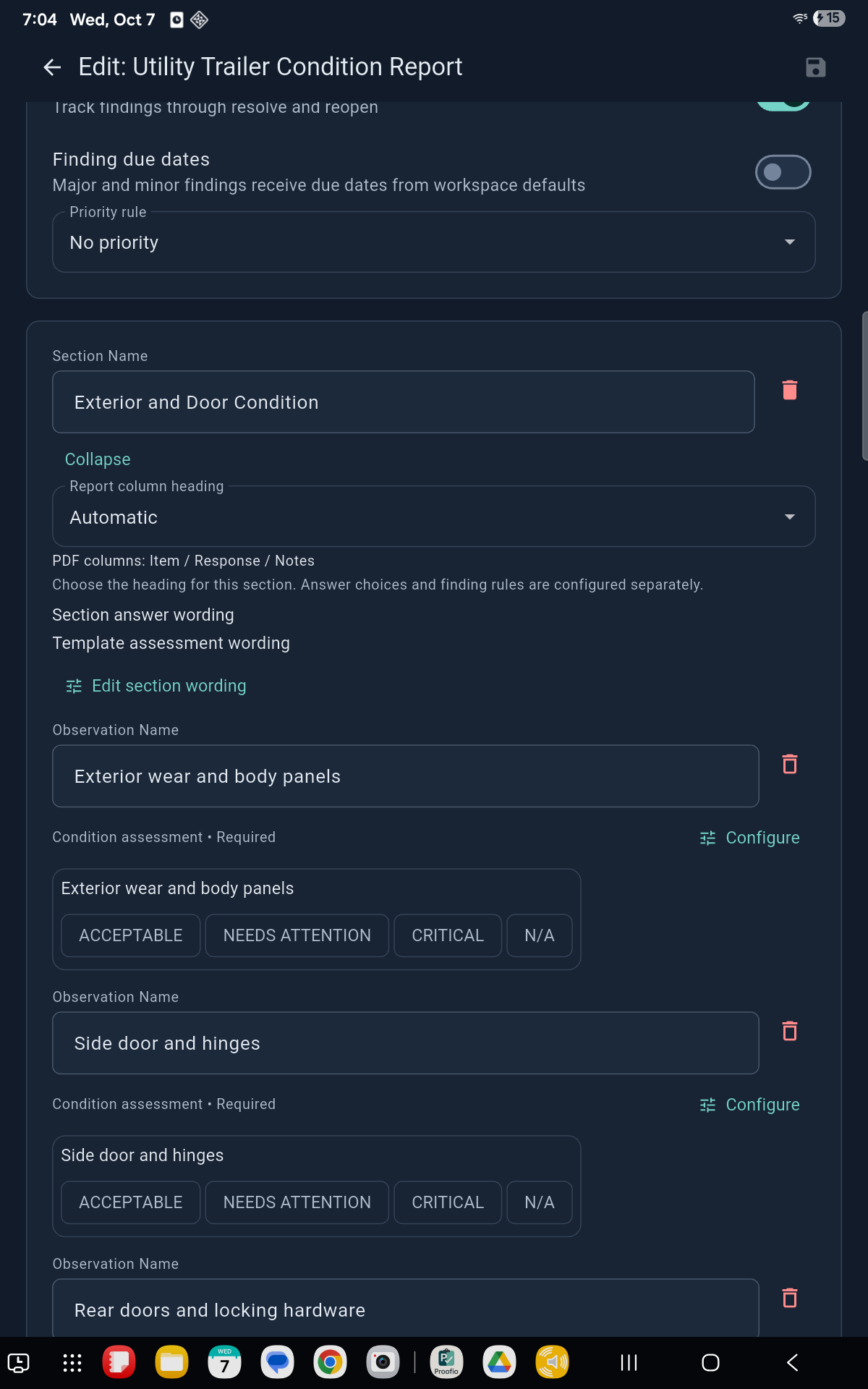
Start from a blank checklist or adapt a built-in form. Add, remove and rename sections and questions on your device, even offline. Save your setup and use it again—for site inspections, maintenance, property condition, handovers and more.
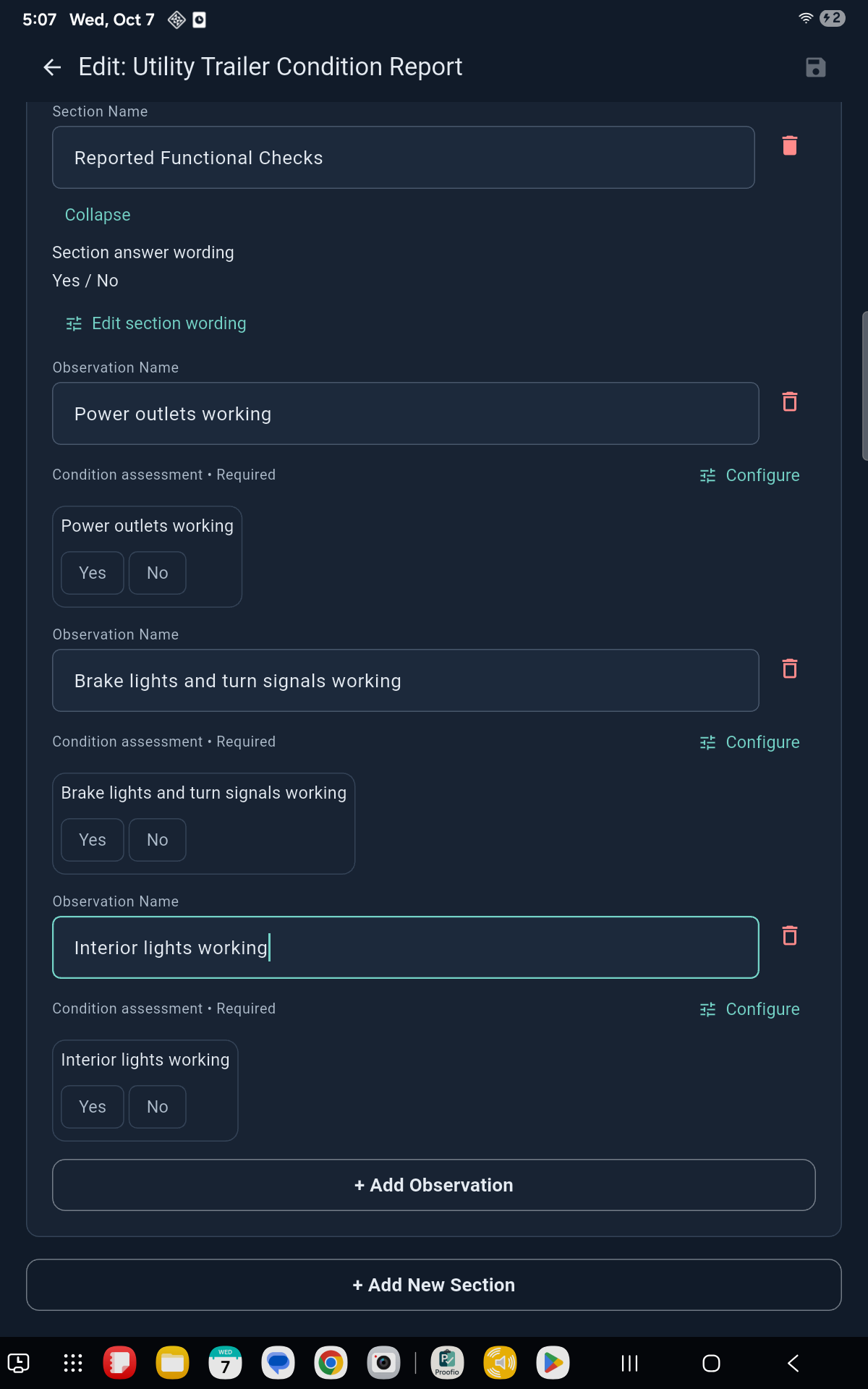
Add sections and questions, choose response types, and set up the information your report needs. Reuse your saved checklist on the next job.
The app saves the form when you start an inspection. Later checklist edits apply to future inspections. Add extra observations during a job when you need to record something additional.
Build it in the field. Keep it for the next job.
Our trailer example combines condition checks and working-light questions in one reusable checklist. Pick a step to see the actual app screen.
Builder preview · Upcoming app update
Real Android app captures from our trailer example. New builder controls shown here are part of the upcoming update.
See the reports from this checklist →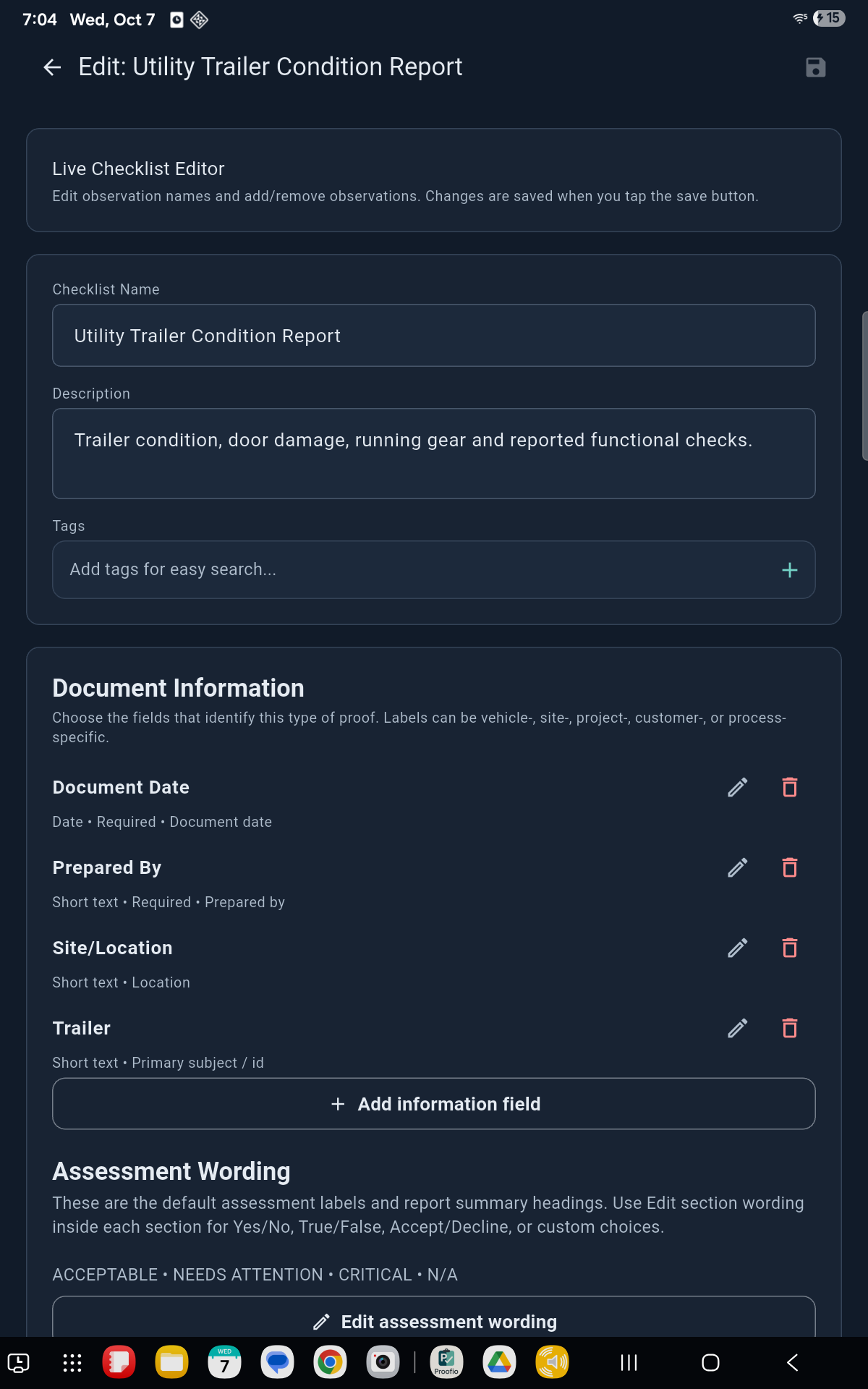
Attach photo evidence to the items you're inspecting, right where the work happens.
Add notes and statuses to make the condition of each item clear and keep follow-ups in view.
Generate a PDF on your device, even offline. Share it using your device's sharing options when you're ready.
Capturing and exporting work offline. Downloads, subscriptions, account services, and sending a report through an online service require a connection.
Original Proofio exports
Explore the 2009 TFMC trailer inspection in Free and Pro, with both Simple and Advanced layouts. These PDFs are published exactly as exported from Proofio.
Findings and notes, with the required Proofio footer.
3 pages, 20 KB
Open Free Simple PDFFindings, notes, and photo evidence, with the required Proofio footer.
5 pages, 8.6 MB
Open Free Advanced PDFFindings and notes, with custom company branding and the Proofio footer turned off.
3 pages, 529 KB
Open Pro Simple PDFFindings, notes, and photo evidence, with custom company branding and the Proofio footer turned off.
5 pages, 9.1 MB
Open Pro Advanced PDFBoth layouts are available on both plans. Pro custom company branding and footer settings are separate from the PDF layout.
Both plans include inspection records, photo evidence, and Simple and Advanced PDF layouts. Pro adds unlimited usage and the tools listed below.
| Included | Free | Pro |
|---|---|---|
| Inspections | 3 per calendar month | Unlimited |
| New or copied checklists | 3 per calendar month | Unlimited |
| PDF exports | 3 per calendar month | Unlimited |
| Simple & Advanced PDF layouts | Included | Included |
| Edit existing custom checklists offline | Included | Included |
| Photo evidence & notes | Included | Included |
| Photo annotation | Requires Pro | Included |
| Custom company branding & logo | Not included | Included |
| Proofio footer | Required on every PDF | Can be turned off |
| Checklist JSON import & export | Requires Pro | Included |
Simple PDFs focus on findings and notes; Advanced PDFs also include photo evidence. Both layouts are available on Free and Pro.
Each calendar-month allowance is separate. Editing an existing custom checklist does not use another checklist creation allowance. Re-exporting an already exported inspection does not use another PDF allowance. Check the app for your remaining allowance and platform-specific tools.
US App Store Pro pricing: $12.99 per month or $129.99 per year. See your platform's purchase screen for current local pricing and subscription options.
Online inspection backup, sync, and hosted report sharing are not available yet. Online account services verify your account and subscription status. On iPhone and iPad, use the app's local backup and restore tools. Keep separate copies of the photos and reports you need.
Free help for first-time users
Get free help converting your existing inspection form or building your first checklist.
New to Proofio? Jerry from the Proofio team can help you get started with one inspection form or your first checklist. Tell him what your company inspects and how you want the report to look.
Email Jerry for free setup helpYes. Create, copy, and edit custom checklists in the app on your phone or tablet, offline. Capture findings and generate PDFs offline too. Downloads, account verification, and subscription services need a connection.
The app saves a form snapshot when you start an inspection; later template edits apply to future inspections. You can add extra observations during an inspection, but you cannot freely restructure its active form.
Export a PDF and use your device's sharing options, such as email. Proofio does not currently provide online inspection backup or a hosted client report portal.
No. Pro provides the features listed above; it is not a team or multi-seat plan. Company workspaces and shared templates are planned separately.
Planned · Not available today
These are planned directions, not current features or a guaranteed roadmap. No release dates or team pricing are announced.
Questions, bug reports, or feature requests? Email jerry@proofio.online and we'll get back to you.
Proofio stores inspections, photos, drafts, exported reports, and preferences locally on your device. Account data — your profile, subscription status, and device-session records used for access control — is stored to provide the service. We do not sell your data. Read the full Proofio privacy policy.
You can request deletion of your Proofio account and associated account data at any time. The full deletion policy — what's removed, what's retained, and how to request it — is on the dedicated page below.
Account deletion & data removal →